
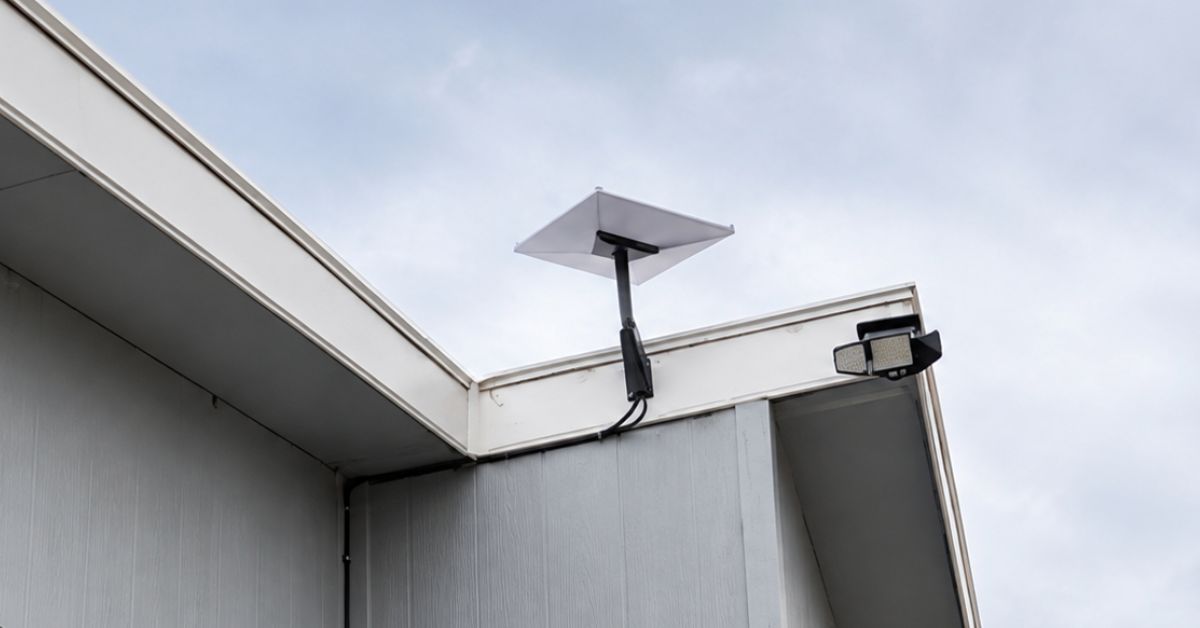
This article showcases a Starlink installation in Ehrenberg, Arizona, for a residential home. The end result is that now the homeowner is ecstatic with true high-speed broadband internet access in an area where they have accepted mediocre traditional ISPs available in Ehrenberg and throughout southwestern Arizona and southeastern California.
👉 To learn more about Starlink installation, call 1-844-799-0258 to speak to a Starlink installation SME or contact us through our request a quote contact us form.
Our Starlink installation SMEs received a service request for Starlink and WiFi network installation in Ehrenberg, AZ, who was seeking professional assistance with installing their Starlink Standard Kit. A professional service was provided by performing the following process:
Our team performed an initial offsite assessment to ascertain the property’s feasibility for Starlink installation. This process included analyzing satellite imagery, collecting on-site photographs, and evaluating the roof type, as well as any potential obstructions. This comprehensive assessment enabled us to determine the required materials, equipment, suitable mounting options, and manpower necessary to facilitate a seamless installation of Starlink services.
Result of Initial Offsite Assessment:
🔹Location: Ehrenberg, AZ
🔹Property Size: 650 sqft, single-family home
🔹Floors: One-story house with a basement
🔹Roof Type: Low-slope roof
🔹The Starlink Equipment: Starlink Standard Kit
🔹Mount: Standard Wall Mount
After the initial offsite assessment, the installation plan was approved by the customer. Then the installation schedule was coordinated with our certified Starlink installers in Ehrenberg AZ.
Our Starlink installation team arrived on-site to perform the following scope of work:
✅Install the Starlink Standard kit using the Standard wall mount
✅ Route the cable from the Starlink dish to the indoor Gen 3 Wi-Fi mesh router.
✅ Activate & configure the Starlink Gen3 WiFi mesh router.
✅Guide the customer on how to use the Starlink App.
✅Test and document the installations with photos.
To kick off the installation, we conducted a Starlink Obstructions Test using the Starlink App. This crucial step helped determine the optimal placement for the dish, ensuring a strong and reliable connection to the Starlink satellite network. The test yielded a “Good Experience” rating, confirming that the selected location was well-suited for smooth streaming, browsing, video calls, and gaming.
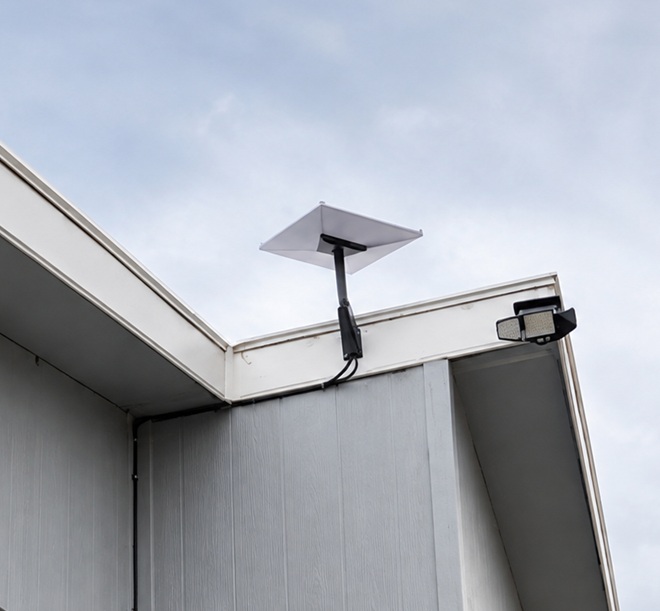
The Starlink Standard dish was securely mounted using a Standard wall mount for maximum stability and signal reception.
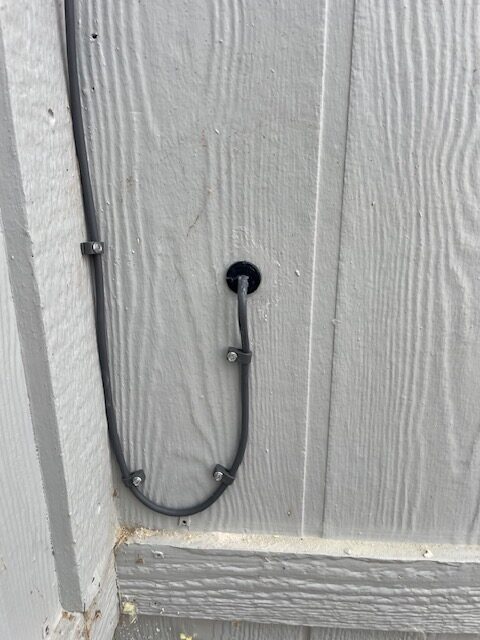
They used a cable routing kit to ensure a clean, weather-resistant installation, providing proper sealing and cable management. The proprietary Starlink cable was neatly routed from the outdoor dish to the indoor Gen3 Wi-Fi mesh router, positioned in a customer-approved location to optimize WiFi coverage and signal strength throughout the home.
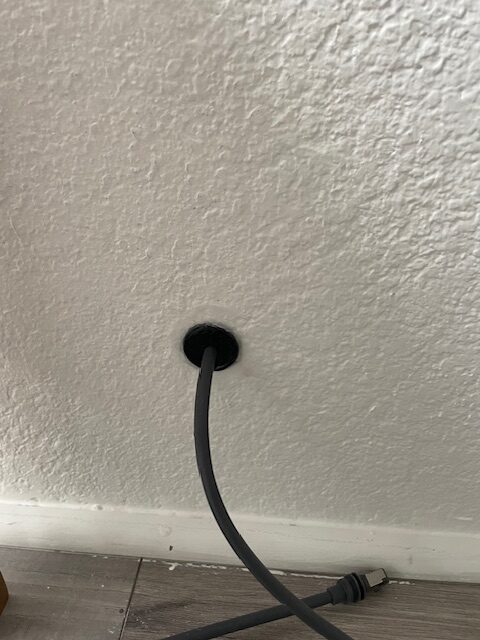
Using the Starlink App, we customized the Gen 3 WiFi Mesh Router by setting up the customer’s preferred network name (SSID) and password, ensuring a seamless connection.
Finally, we provided the customer with a walkthrough of the Starlink App’s key features, including:
🔹Access and manage their SSID
🔹Reset their password
🔹Run speed tests
🔹Refresh or reset the Starlink network
🔹Troubleshoot common connectivity issues
After the installation, our team performed a Starlink Alignment Test to ensure the dish was in the best possible position for continuous satellite connectivity. The process involved carefully assessing the dish’s position, considering the elevation angle, azimuth direction, and potential obstructions (such as trees, buildings, or other structures).
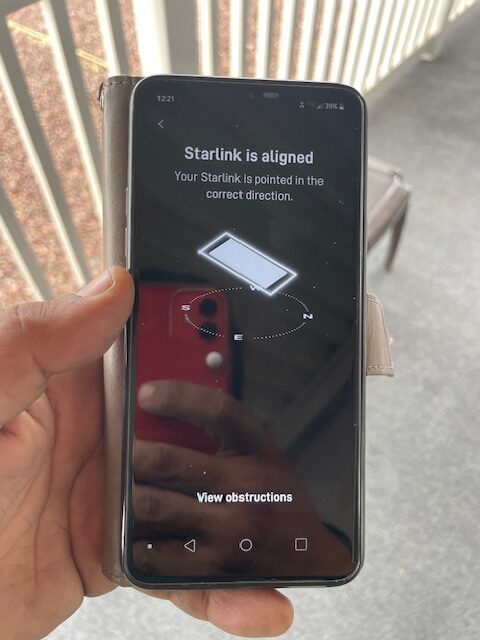
Then, the Starlink Speed Tests were conducted to test the system’s internet performance. It’s important to note that Starlink can take up to 12 hours to synchronize with the satellite network fully.
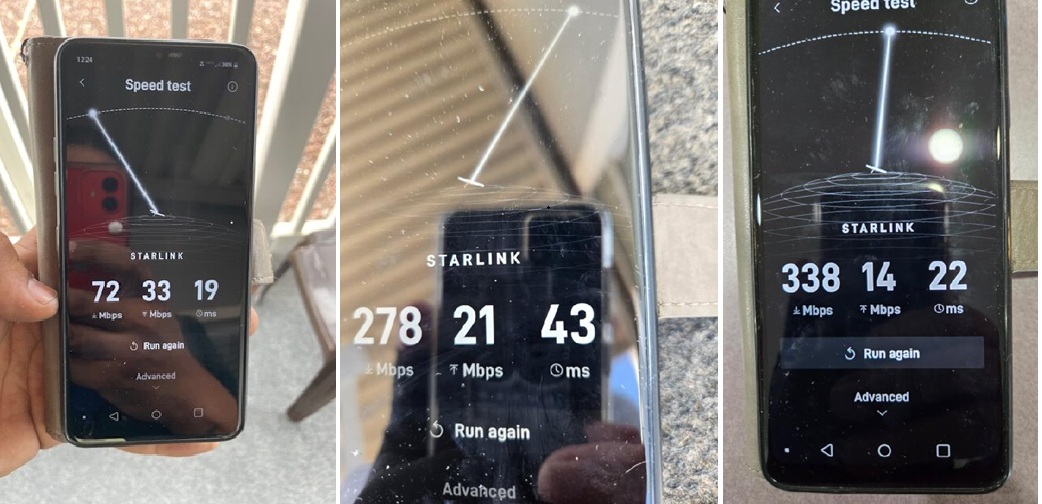
The Starlink Speed Test results show the progressive development of internet performance using Starlink, based on three speed tests conducted at different intervals. Metrics analyzed include download speed, upload speed, and latency.
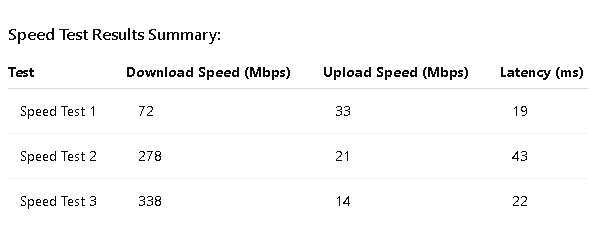
🔹Download Speed– Significant and steady improvement from 72 Mbps to 338 Mbps, indicating improved throughput and optimized network conditions.
🔹Upload Speed -Decreased over time from 33 Mbps to 14 Mbps. This trend may affect performance for tasks that require high upload bandwidth, such as video uploads or cloud backups.
🔹Latency – Initially low (19 ms), peaked at 43 ms in Speed Test 2, then stabilized at 22 ms. Latency remains within acceptable ranges for video conferencing and online gaming.
Starlink upload performance can be optimized by following these tips and recommendations:
Another game changer for another happy customer. For the first time, they're enjoying lightning fast download and upload speeds at their property. This Starlink installation in Ehrenberg, Arizona was a complete success, delivering the reliable high speed internet they had been waiting for.
Our experienced Arizona based Starlink installers securely mounted, aligned and tested the Starlink Standard (model) with a Standard Wall Mount, routed the Starlink cable neatly, sealed the cable pass-through professionally, then completed the installation using the Starlink App to activate and configure the WiFi network, ensure an unobstructed view, dish alignment, performance data and speed tests. As the Starlink Speed test results show, Starlink’s performance continued to speed up shortly after installation. Once activated and sufficient time to download and install updates has passed, eventually catching up and synching with the Starlink network — then the data transfer speeds seem to take off!
The upload speed results may be due to network prioritization or the placement of your hardware. It can be resolved by opting for a wired connection and limiting the number of connected devices during critical periods when heavy upload activity is necessary.
This project helps bridge the digital divide in Arizona, empowering homeowners with the connectivity they need for online studies, healthcare, remote work and daily communications.
Level Up Your Home and Business Connectivity with Professional Starlink Installation
👉 Call us at 1-844-799-0258 for your free consultation or fill out our Contact Us form.
DID YOU KNOW?
Ehrenberg, Arizona is a small community along the Colorado River at the Arizona and California border, making it a popular stop for travelers, RV enthusiasts, and outdoor recreation. Despite its modest population, its location on Interstate 10 makes Ehrenberg an important gateway between Phoenix and Southern California.
Thank you for reading our Starlink installation articles.