
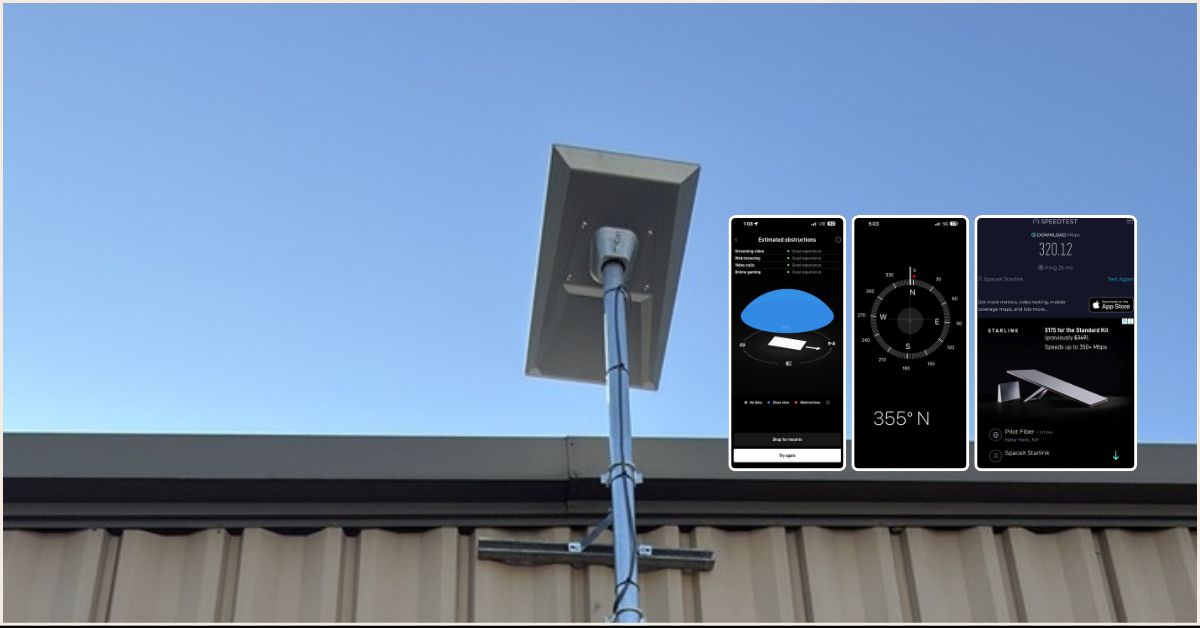
This article presents a successfully completed Starlink installation in Malone, NY by ProSat Networks. ProSat Network 1-844-799-0258 is a professional Starlink installation and wireless network solutions company for commercial businesses, residential homes, RV parks, campgrounds, construction sites, dairy and agriculture farms, airplane hangars, mines & mining operations in New York.
For inquiries and request for quote, 📞 call 1-844-799-0258.
🔹Location: Malone, NY
🔹Property Type: Industrial warehouse office
🔹Roof Type: Metal Roof
🔹Starlink Kit: Performance (Gen3)
🔹Mount Option: Pole with custom wall clamps
🔹Starlink Use: Primary internet connection
Our Starlink installation SMEs kick-off the processing of the service request by performing the following:
An initial offsite assessment was conducted to gather the customer’s requirements for the Starlink installation in Malone, NY. Following this, our team performed an onsite technical survey to:
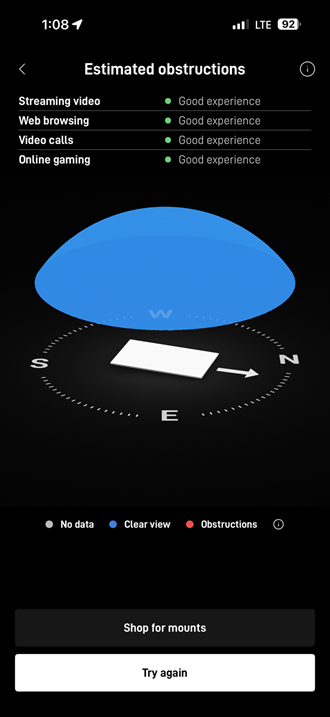
🔹Confirm the optimal installation point for the Starlink dish using the results of the obstruction test.
🔹Identify existing low-voltage cable pathways or if none are available, coordinate with the customer’s point of contact to determine the most suitable cable entry point into the building and the internal cable termination location.
🔹Evaluate whether Ethernet cable extensions are needed to connect to the Starlink network.
🔹Verify any additional parts or materials required to complete the installation.
After the site survey, our Starlink installation subject matter experts (SMEs) prepared and submitted a detailed installation proposal for customer review and approval. Once approved and the necessary equipment was ready, the installation schedule was then coordinated with our Starlink installers in Malone, NY.
Our team arrived onsite to perform the following scope of work:
🔹Starlink Dish Installation – Mount the Starlink Performance Dish on the wall using a custom pole mount for a secure setup.
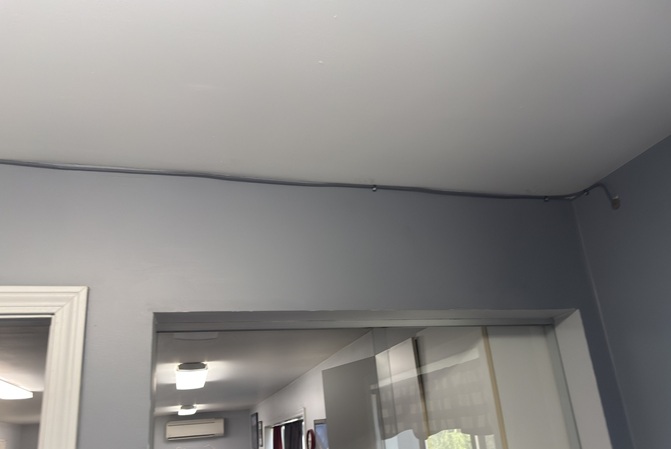
🔹Starlink Cable Run – Route the 25m Starlink cable from the dish through a clean entry point by the office window, then run it through the hallway ceiling down to the MDF room.
🔹Advanced Power Supply – Install the Starlink Advanced Power Supply on the backboard in the MDF/server room using the mounting kit to keep the setup neat and organized.
🔹Ethernet Cable – Terminate the Starlink Performance Ethernet cable and connect it directly to the client’s firewall to establish the internet connection.
The installation team kick-off the installation by mounting the Starlink dish using pole attached to a custom wall clamps. The dish was positioned in a location identified as having a “Good” rating during the Starlink obstruction test.
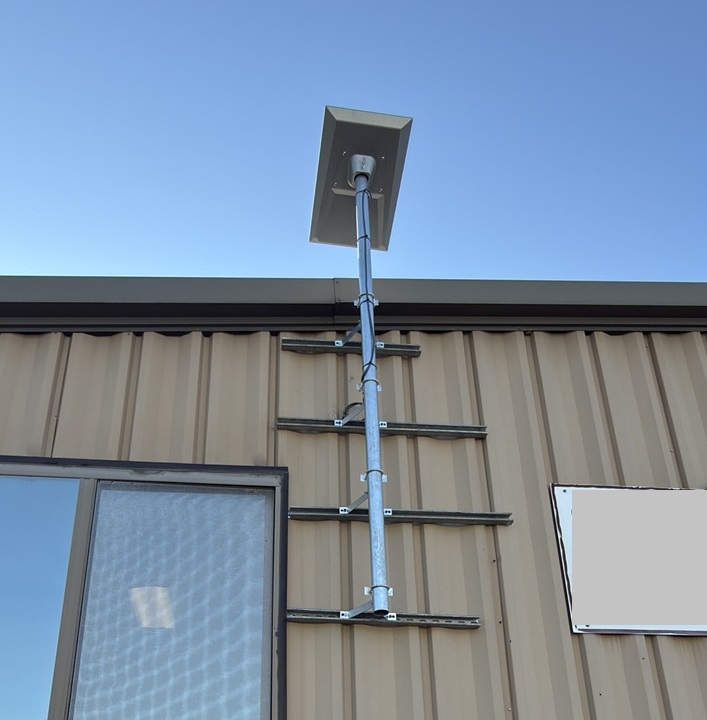
The Starlink dish is mounted on a galvanized steel mast attached to the exterior wall of the building using multiple horizontal wall brackets for added stability and wind resistance.
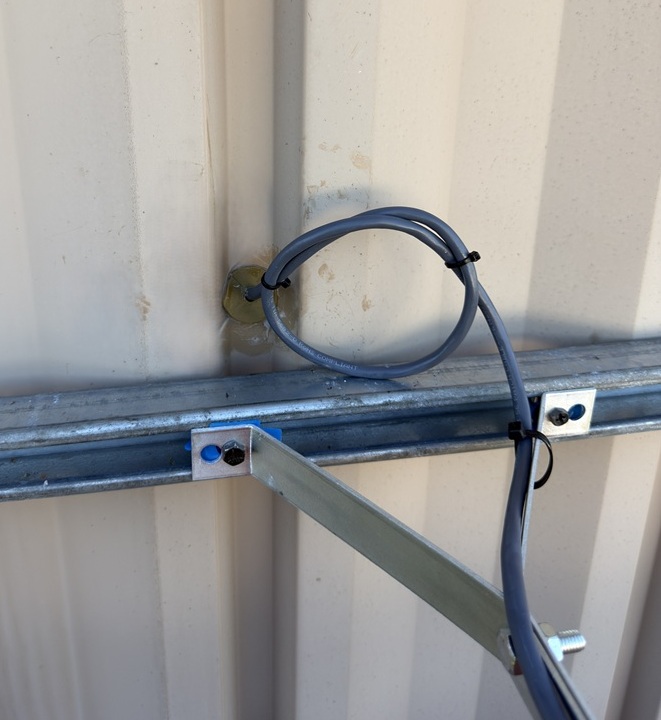
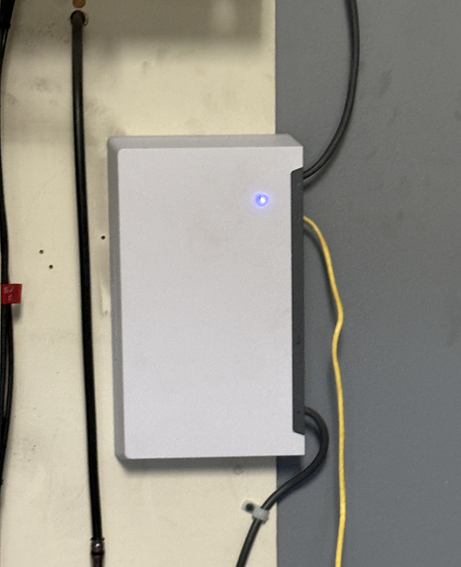
The Starlink cable is routed from the dish to the designated exterior cable entry point. Cables were organized it with UV-rated cable clips. The cable was then passed through the interior ceiling toward the Main Distribution Frame (MDF). At the MDF, the advanced power supply unit was mounted and plugged into the power source.
The installation team terminated the Starlink cable at the power supply. And utilized the Ethernet cable to connect the Starlink system with the client’s firewall/router.
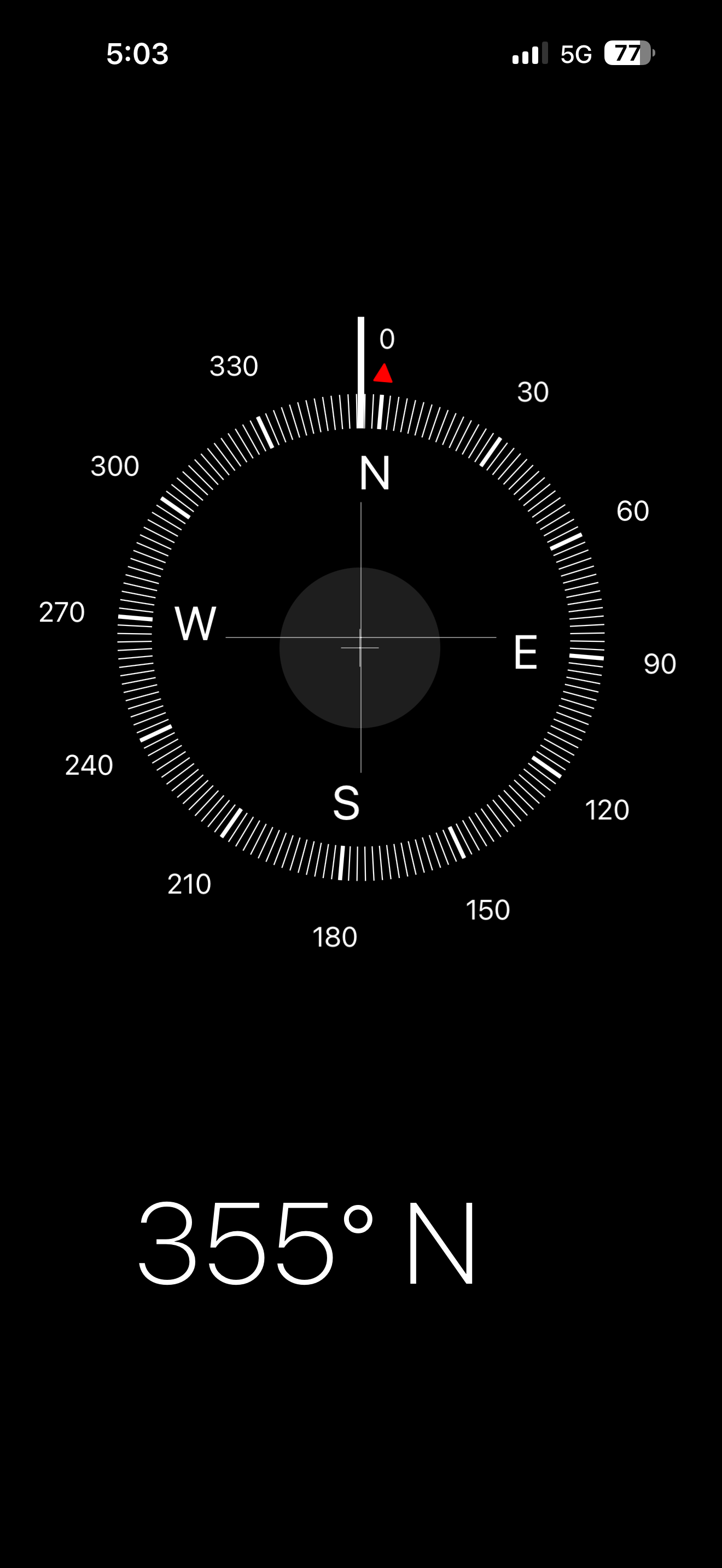
After installing the equipment, the team performed a Starlink alignment test to position the dish with a clear line of sight to the satellite network. This alignment test is an essential step to ensure uninterrupted connectivity and strong signal reception for the Starlink dish.
The final stage of the installation is conducting a Starlink speed test, key performance metrics includes download speed, upload speed and latency.
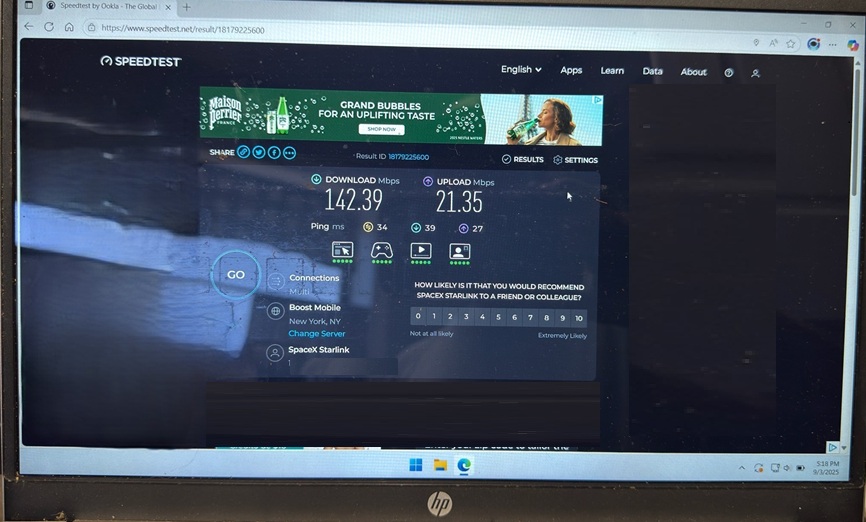
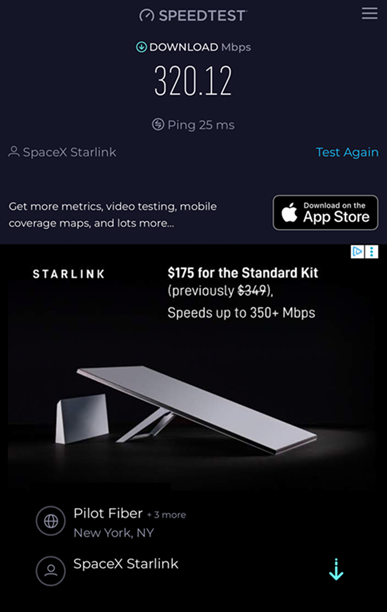
Starlink Performance Test Results
Our recent speed tests show Starlink delivering high-speed and reliable internet:
🔹Download Speeds: 142–320 Mbps
🔹Upload Speeds: Up to 21 Mbps
🔹Latency (Ping): 25–34 ms
This means customers can enjoy:
🔹4K streaming without buffering
🔹Smooth video calls and remote work
🔹Fast online gaming with low lag
🔹Multiple devices connected at once
It’s important to note that Starlink may require up to 12 hours to fully optimize its connection. During this initial period, temporary speed fluctuations or brief dropouts may occur. However, once the system stabilizes, it delivers a reliable and high-speed internet connection.
The Starlink installation in Malone, NY was successfully completed, providing the industrial warehouse with a reliable high-speed internet solution to support facility’s operations. Post-installation speed tests confirmed strong performance, with download speeds reaching over 300 Mbps, upload speeds up to 21 Mbps, and latency as low as 25 ms. This level of connectivity ensures the warehouse can manage cloud-based systems, real-time inventory tracking, logistics coordination and communication across teams. With Starlink in place, the business now benefits from enterprise-grade internet access in a location where traditional wired services are limited, strengthening overall efficiency and reliability of daily operations.
👉 Contact us at 1-844-799-0258 to speak to ProSat Networks SMEs
DID YOU KNOW?
Malone, NY, is nicknamed the “Star of the North” and was once a major hub for hop growing in the 19th century. Today, it’s best known for Titus Mountain Ski Area, outdoor recreation in the Adirondacks, and its historic ties to U.S. Vice President William A. Wheeler, who called Malone home.
Thank you for reading this article.